
Features
Everything in JanReport
A complete tour of the admin panel, the cleaner app and the client portal.
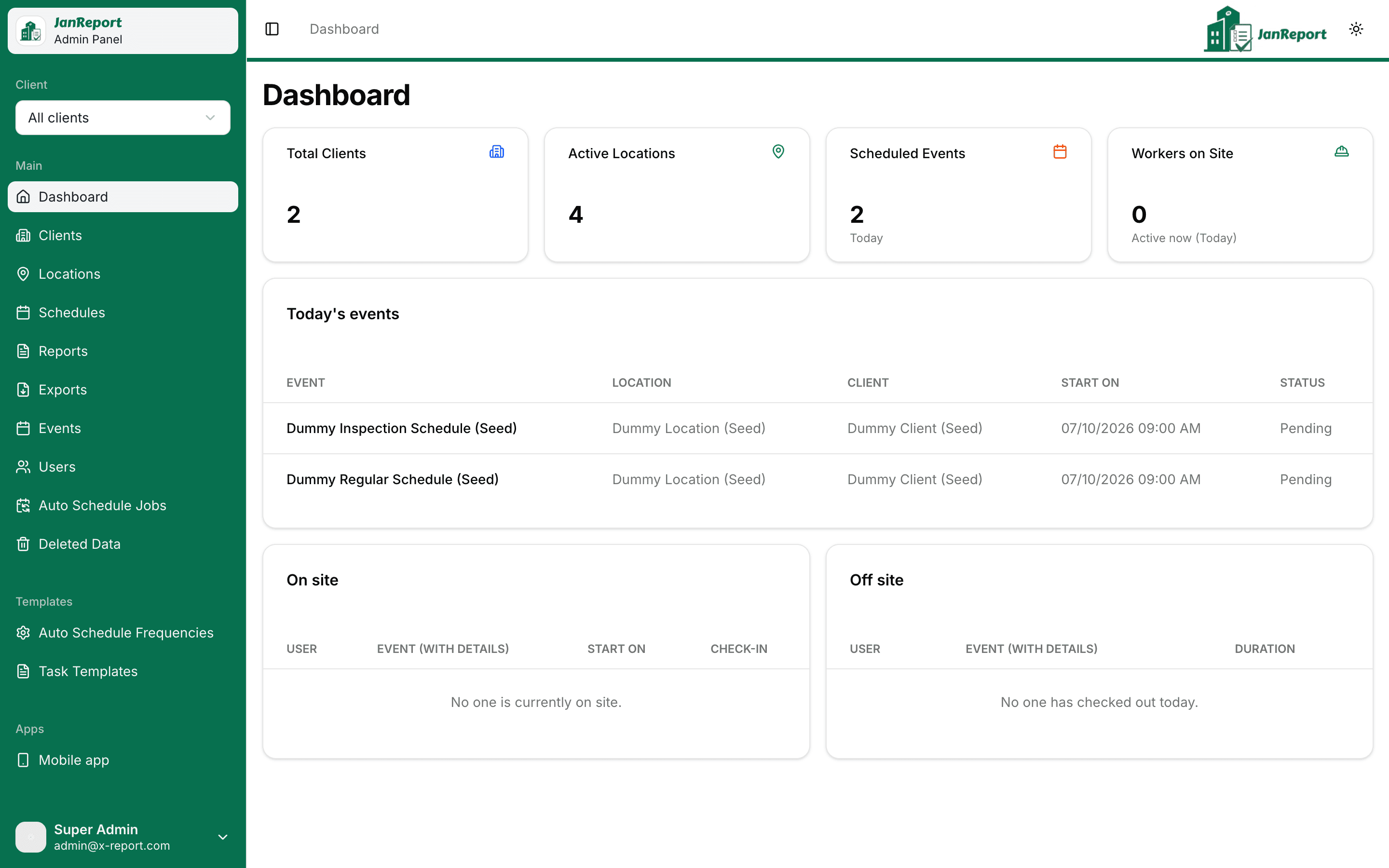
Operations dashboard
See the day at a glance: who is on site, what is scheduled, and where the gaps are.
- Live totals for clients, active locations, scheduled events and workers currently on site
- Today's events with status, assignees and location
- Today's check-ins and check-outs as they happen
- Scope the whole admin panel to a single client with the default client picker
Clients & locations
Model every account and every site you service, down to the geofence at the front door.
- Client records with logo, address, contact person, industry and notes
- Locations with access instructions, special requirements and on-site contacts
- Draw a geofence on the map for each site to power GPS-verified attendance
- Link client portal users to their accounts

Scheduling & automation
Set a schedule once and let JanReport generate the work every night.
- Recurring schedules per location with start time, duration, end date and assigned workers
- Reusable frequencies: daily, weekly, monthly or yearly, every N periods, chosen weekdays
- Task templates with checklist sections for regular cleans or inspections
- Import a schedule from a template or copy an existing schedule
- One-off events for ad-hoc jobs
- Nightly auto-schedule jobs with a per-schedule status log and manual re-run
- Event lifecycle: pending, completed, incomplete, missed or cancelled

Cleaner app
An installable mobile app for the people doing the work. No app store required.
- Today's jobs and the next 30 days, plus any open tickets
- GPS-verified check-in and check-out against the site geofence, with a reason required to skip
- Checklists grouped by section, each task rated on a five-point satisfaction scale
- Attach photos from the camera or gallery to any task or event
- Report issues with notes and photos; track them to resolution
- Personal activity history for the week, month or quarter
- Search locations and view their schedules
- One-to-one and group messaging with read receipts
- Opt-in push notifications, light and dark themes

Inspections & quality control
Give supervisors the tools to verify work, triage issues and close the loop with clients.
- Inspector dashboard with on-site and off-site view of the team
- Inspection events showing tasks, photos, issues, assignees and check-ins in one place
- Issue triage: resolve now, defer for later, or escalate
- Tickets sent to a cleaner or a client, with full status history

Client portal
Clients see proof of service without calling you.
- Today's, upcoming and past events for each of their sites
- Per-event reports with checklist results and photos
- Clients can raise issues themselves, flagged as client-sourced
- Choose per client whether the full checklist is visible
- Tickets and messaging with your team
- Users who manage several clients can switch between them

Reports & PDF exports
Six operational reports, filterable by client, location, team member and date range.
- Activity Log: check-in and check-out detail with GPS and geofence status
- Work Hours Summary: hours by worker and location
- Task Completion: checklist progress for scheduled events
- Inspection: results by location and inspector
- Time Tracker: per team member time on site
- Event Attendance: who attended which events
- Export any report to a branded PDF in the background and download it when ready

Users, roles & access control
Admins, inspectors, cleaners and clients each see exactly what they should.
- Four roles: Admin, Inspector, Cleaner and Client
- Per-area read, write and delete permissions, scoped to all records or a chosen set
- Per-report access by client and location
- Assign schedules to workers and link users to clients
- Temporary password email on account creation with a forced reset at first sign-in

Safety nets & infrastructure
Built to run unattended, with recovery when someone makes a mistake.
- Recycle bin: deleted clients, locations, schedules, events and frequencies can be restored
- Nightly job closes out past events and auto-checks-out anyone still on site
- Files stored in any S3-compatible bucket with time-limited links
- Email delivery over your own SMTP and push notifications via Firebase or Web Push
- Runs in your company's time zone end to end
See JanReport on your own sites
Tell us about your operation and we will walk you through a demo built around how your team works.